Homework 8
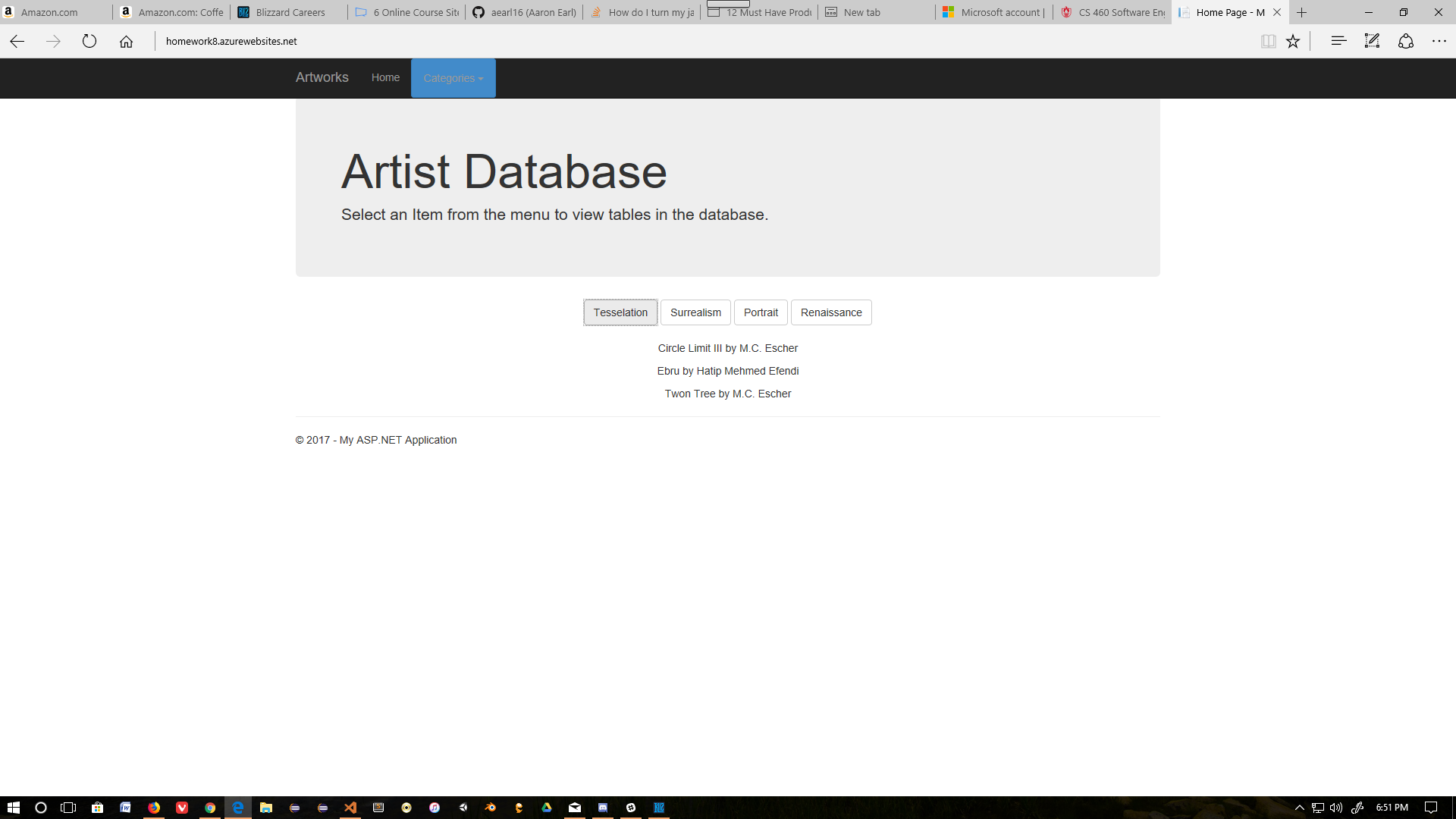
This homework introduced a more complex database and a compmlex main page using Ajax. Instead of reloading the page for a request to the database the page would be reloaded with Ajax and display the queried data. Huge thanks to Devon Smith for pointing out my mistakes, and Stephen Oliver for his masterful writups of our homeworks.
Part 1 Creating the Database
I started making my up and down scripts. I ended up having a problem where all of the tables were put into all of the database objects in the sql server object explorer. I deleted all of the duplicates and everything seemed to work.
-- Artist Table
CREATE TABLE dbo.Artist
(
	ArtistID	INT NOT NULL,
	FullName	NVARCHAR(50) NOT NULL,
	DOB			DateTime2 NOT NULL,
	City		NVARCHAR(128),
	CONSTRAINT [PK_dbo.Artist] PRIMARY KEY CLUSTERED (ArtistID ASC),
);
-- Insert Statement
INSERT INTO dbo.Artist (ArtistID, FullName, DOB, City) VALUES
	(1, 'M.C. Escher', 'June 17, 1898', 'Leeuwarden, Netherlands'),
	(2, 'Leonardo Da Vinci', 'May 2, 1519', 'Vinci, Italy'),
	(3, 'Hatip Mehmed Efendi', 'November 18, 1680', 'Unknown'),
	(4, 'Salvador Dali', 'May 11, 1904', 'Figueres, Spain');

CREATE TABLE dbo.Artwork
(
	ArtworkID INT NOT NULL,
	ArtistID INT NOT NULL,
	Title NVARCHAR (128) NOT NULL,
	CONSTRAINT [PK_dbo.Artwork] PRIMARY KEY CLUSTERED (ArtworkID ASC),
	CONSTRAINT [FK_dbo.Artwork] FOREIGN KEY (ArtistID)
	REFERENCES dbo.Artist (ArtistID)
);

INSERT INTO dbo.Artwork (ArtworkID, ArtistID, Title) VALUES
	(1, 1, 'Circle Limit III'),
	(2, 1, 'Twon Tree'),
	(3, 2, 'Mona Lisa'),
	(4, 2, 'The Vitruvian Man'),
	(5, 3, 'Ebru'),
	(6, 4, 'Honey Is Sweeter Than Blood');

CREATE TABLE dbo.Genre
(
	GenreID INT NOT NULL,
	GenreName NVARCHAR (128) NOT NULL
	CONSTRAINT [PK_dbo.Genre] PRIMARY KEY CLUSTERED (GenreID ASC)
);

INSERT INTO dbo.Genre (GenreID, GenreName) VALUES
	(1, 'Tesselation'),
	(2, 'Surrealism'),
	(3, 'Portrait'),
	(4, 'Renaissance');

CREATE TABLE dbo.Classification
(
	ClassificationID INT NOT NULL,
	ArtworkID INT NOT NULL,
	GenreID INT NOT NULL,
	CONSTRAINT [PK_dbo.Classification] PRIMARY KEY CLUSTERED (ClassificationID),
	CONSTRAINT [FK_dbo.Classification] FOREIGN KEY (ArtworkID)
	REFERENCES dbo.Artwork (ArtworkID),
	CONSTRAINT [FK2_dbo.Classification] FOREIGN KEY (GenreID)
	REFERENCES dbo.Genre (GenreID)

);

INSERT INTO dbo.Classification (ClassificationID, ArtworkID, GenreID) VALUES
	(1,1,1),
	(2,2,1),
	(3,2,2),
	(4,3,3),
	(5,3,4),
	(6,4,4),
	(7,5,1),
	(8,6,2);
There wasn’t really anything different in this lab’s sql other than the complexity of relations. I decided to use an integer key to allow easy querying of the items in the tables.
After I created the database I created the models and context:
My DBContext:
namespace Homework8.DAL
{
    using System;
    using System.Data.Entity;
    using System.ComponentModel.DataAnnotations.Schema;
    using System.Linq;
    using Homework8.Model;

    public partial class ArtistContext : DbContext
    {
        public ArtistContext()
            : base("name=ArtistContext")
        {
        }

        public virtual DbSet<Artist> Artists { get; set; }
        public virtual DbSet<Artwork> Artworks { get; set; }
        public virtual DbSet<Classification> Classifications { get; set; }
        public virtual DbSet<Genre> Genres { get; set; }

        protected override void OnModelCreating(DbModelBuilder modelBuilder)
        {
            modelBuilder.Entity<Artist>()
                .HasMany(e => e.Artworks)
                .WithRequired(e => e.Artist)
                .WillCascadeOnDelete(false);

            modelBuilder.Entity<Artwork>()
                .HasMany(e => e.Classifications)
                .WithRequired(e => e.Artwork)
                .WillCascadeOnDelete(false);

            modelBuilder.Entity<Genre>()
                .HasMany(e => e.Classifications)
                .WithRequired(e => e.Genre)
                .WillCascadeOnDelete(false);
        }
    }
}
The last part was querying the database based on buttons on the index page. The integer keys made it very easy to pass the id of Genre to the controller. Unfortunately this also made it difficult to retrieve the information from the Artists table and the Artworks table. At first I created a new model to store the information in, and then appended the query data to a list. This cause my json to have a bunch of escape charachters in there. I then made a complex sub-select to pass the list information directly to the serializer and convert it to json.
The part of the controller with the complex query:
/// <summary>
/// Get method for GenreResult
/// </summary>
/// <param name="id"></param>
/// <returns></returns>
[HttpGet]
public JsonResult GenreResult(int? id)
{
    if(id == null)
    {
        return null;
    }
    //List<Classification> classlist = db.Classifications.Where(p => p.GenreID == id).ToList();
    //List<Models.ArtworkByGenre> genreResultList = new List<Models.ArtworkByGenre>();
    //for(int i = 0; i < classlist.Count; i++)
    //{
    //    Models.ArtworkByGenre val = new Models.ArtworkByGenre();
    //    val.Title = db.Artworks.Find(classlist[i].ArtworkID).Title;
    //    int identifier = db.Artworks.Find(classlist[i].ArtworkID).ArtistID;
    //    val.FullName = db.Artists.Find(identifier).FullName;
    //    Console.WriteLine(val);
    //    genreResultList.Add(val);

    //}

    //var jsonSerialiser = new JavaScriptSerializer();
    //var json = jsonSerialiser.Serialize(genreResultList.ToArray());

    var artCollection = db.Genres.Where(g => g.GenreID == id)
                                        .Select(x => x.Classifications)
                                        .FirstOrDefault()
                                        .Select(x => new { x.Artwork.Title, x.Artwork.Artist.FullName })
                                        .OrderBy(x => x.Title)
                                        .ToList();
    return Json(artCollection, JsonRequestBehavior.AllowGet);
}
The final part was getting the information to display on the index page. I created a javascipt file to call the contoller and redisplay the information passed back. I also placed an invisible div int the page called “DisplayArea” that I used to dump the information in. I initially tried to display the information in a table but ended up with formatting problems. The information was stuffed into a paragraph tag and then had the fields added to it.
//Javascript that loads page things and routes Ajax calls

function displayStuff(data) {
    $("#displayResults").empty();
    $.each(data, function (i, field) {
        $("#displayResults").append("<p>" + field["Title"] + " by " + field["FullName"] +"</p>")
    });
    $("#DisplayArea").css("display", "block");
}

function genreClicked(genreID)
{
    console.log(genreID)
    var source = "/Home/GenreResult?id=" + genreID;
    console.log(source);
    $.ajax({
        type: "GET",
        dataType: "json",
        url: source,
        success: function (data) {
            displayStuff(data);
        },
        error: function(data) {
            alert("There was an error. Try again please!");
        }
    });
}
The index page with the div and the commented out table:
<div id="DisplayArea" align="center" style="display: none">

    <div id="displayResults"></div>

    @*<table>
        <thead>
            <tr>
                <th> Title </th>
                <th> Artist Name </th>
            </tr>
        </thead>
        <tbody id="displayResults">

        </tbody>
    </table>*@

</div>
Program Screenshots
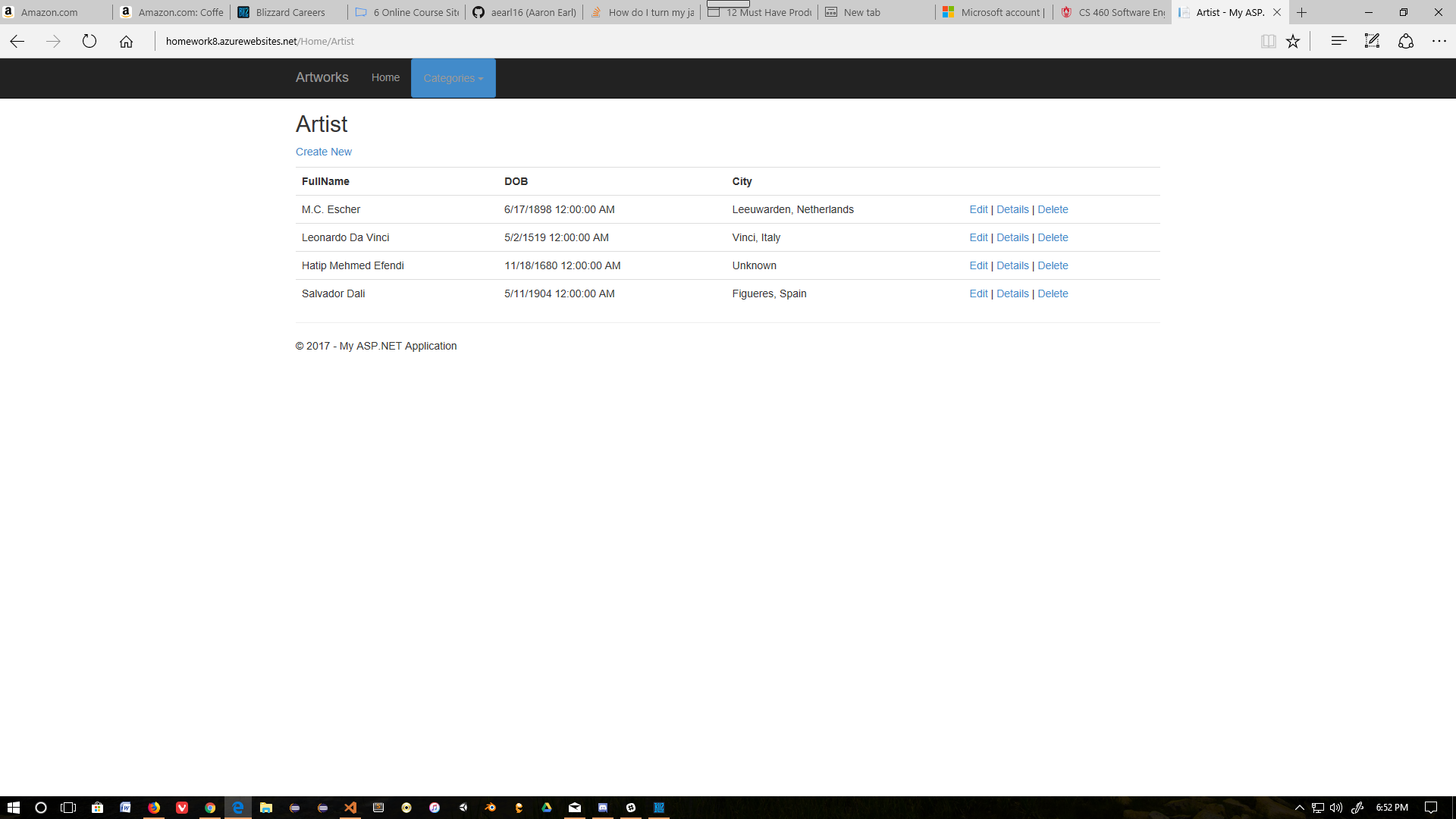
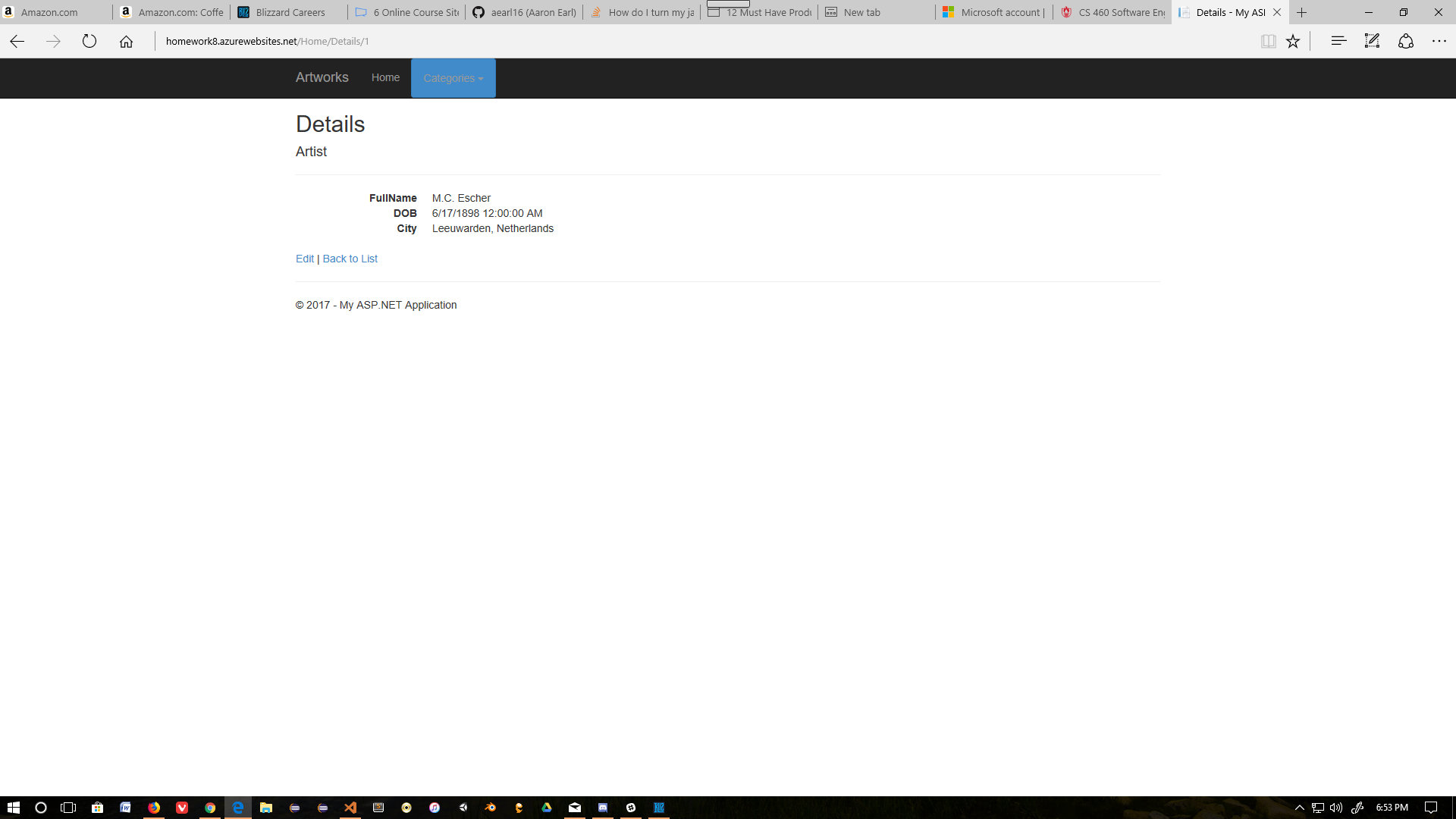
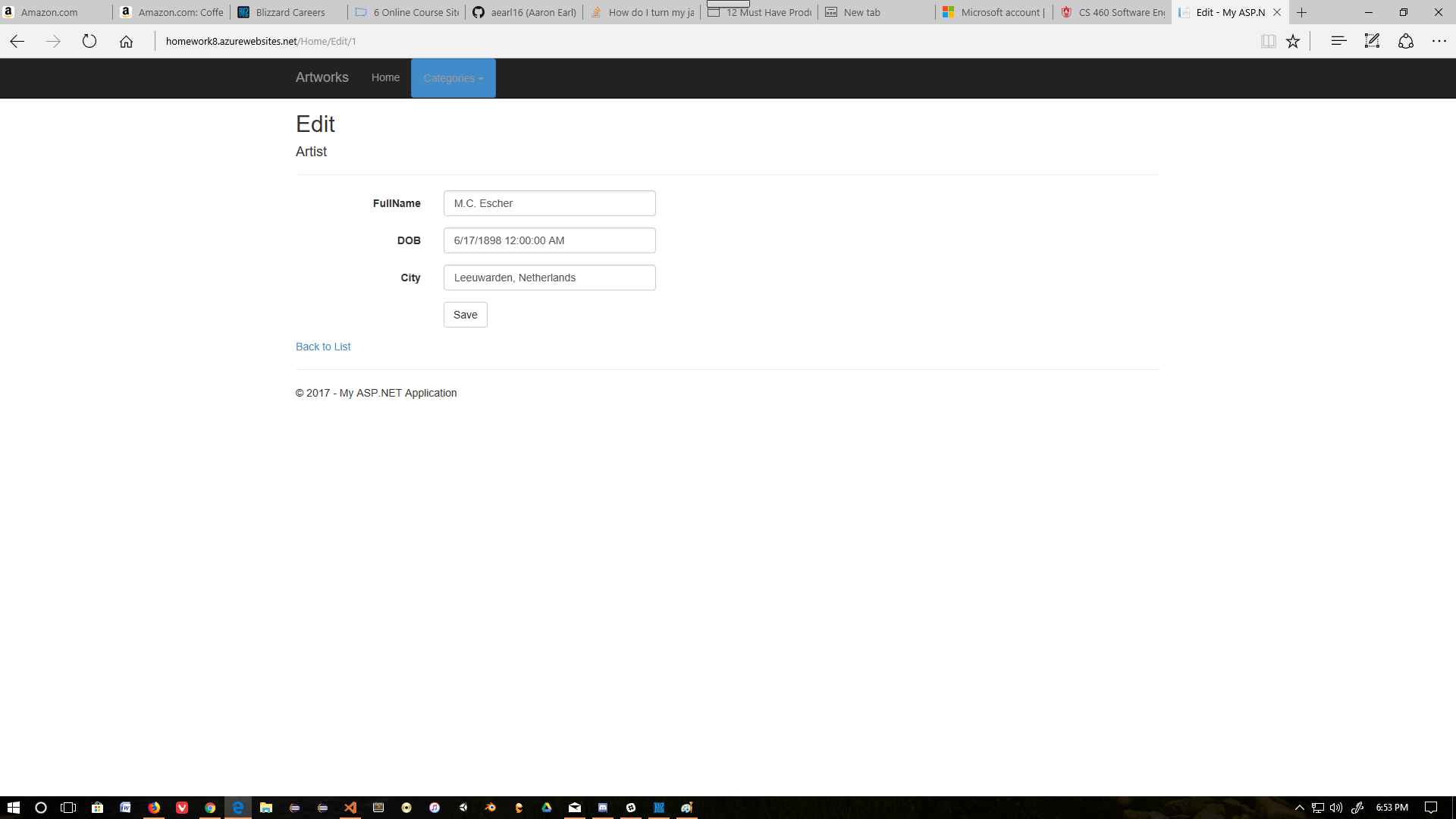
Crud Operations

Main Page with Ajax: